> For the complete documentation index, see [llms.txt](https://docs.zumrails.com/llms.txt). Markdown versions of documentation pages are available by appending `.md` to page URLs; this page is available as [Markdown](https://docs.zumrails.com/recipes/visa-direct-+-3d-secure.md).
# Visa Direct + 3D Secure
This is a step by step tutorial on how you can use Zūm Rails to implement 3D Secure into payment collections made with the Visa Direct payment rail.
## Prerequisites
The 3D Secure protocol enables a liability shift to the card-issuing bank of the end user. To implement 3D Secure for Visa Direct collections, the following items must first be in place:
{% stepper %}
{% step %}
### Prerequisite
* [ ] Make sure you have a sandbox account for testing and read the developer quickstart as [described here](/getting-started/quickstart.md)
* [ ] Get the api username and password in the sandbox portal as [described here](/getting-started/your-zum-rails-account.md#get-access-to-api-credentials)
* [ ] Get your funding source id. You can find this information in your portal under settings/funding source page or via API, as [described here](/api-reference/funding-source.md)
* [ ] Get your wallet id. You can find this information in your portal under the wallet page or via API, as [described here](/api-reference/wallets.md)
* [ ] Ensure your account has the Visa Direct payment rail enabled. Details of this payment method along with the 3D Secure protocol may be found [here](/payments/payment-rails.md)
{% endstep %}
{% step %}
### Authenticate with Zūm APIs
Authenticate with the Zūm Rails API as indicated below, or view more details [here](/api-reference/authentication.md)
```
Endpoint: /api/authenticate
Method: POST
```
```json
{
"Username": "abc...123",
"Password": "xyz...321"
}
```
{% endstep %}
{% step %}
### Create a Visa Cardholding User
To utilize the Visa Direct payment rails, accompanied by 3D Secure, you will first need to add users and their Visa Card data to the Zum Rails system. As this requires the transmitting and storage of sensitive card data, a PCI compliant collection mechanism is required. For this purpose, Zum Rails offers our Connect UI feature to tokenize user card data safely and securely. For details on how to integrate the Connect UI via our SDK please refer to our documentation seen [here](/tokenization-1/zum-connect.md#connect-sdk-install-and-init).
Once the Connect SDK is implemented, to render the AddPaymentProfile modal for creating a Visa card-holding user you may call the Create Token endpoint as [described here](https://docs.zumrails.com/tokenization-1/zum-connect#add-a-payment-profile-without-name-matching) to generate a token to supply in the call to the Connect SDK.
```
Endpoint: /api/connect/createtoken
Method: POST
```
```json
{
"ConnectTokenType": "AddPaymentProfile",
"Configuration": {
"allowEft": false,
"allowInterac": false,
"allowVisaDirect": true,
"allowDebitCard": false,
"allowCreditCard": false,
"forceConnectV2": true
}
}
```
This will result in the following iframe, within which a user will be guided to add their Visa Direct card details to create their payment profile. Once submitted, the resulting userId will be returned in the onSuccess callback.
{% endstep %}
{% step %}
### Call the Zum Rails 3D Secure SDK
For successful 3D Secure transaction creation the Zum Rails 3DSecure SDK must be called to generate the 3D Secure transaction parameters. The steps for this process are outlined [here](https://docs.zumrails.com/payments/card-payments/visa-direct#id-3d-secure).
```
Endpoint: /api/connect/createtoken
Method: POST
```
```json
{
"ConnectTokenType": "ThreeDS",
"UserId": "1111c68f-e927-4e93-b55a-bbec31aaa111",
"Amount": 10.0,
"Configuration": {
"TransactionMethod": "VisaDirect"
}
}
```
The token generated above is used to call the 3D Secure SDK. If a challenge is required, the SDK will display a popup for the customer to complete the authentication. When the flow is completed, the SDK returns a callback with the following parameters needed to be supplied in the transaction creation request.
```json
{
"userId": "57c7c68f-e927-4e93-b55a-bbec31aaa632",
"cardEci": "05",
"cardDsTransId": "d65e93c3-35ab-41ba-b307-767bfc19eae3",
"cardAuthenticationValue": "9ec1JHwF5eWa8/j/hlS5DjHZBsY=",
"origin": "ZUM_RAILS"
}
```
{% endstep %}
{% step %}
### Create a Visa Direct Accounts Receivable Transaction
Call the Create Transaction API as [described here](https://docs.zumrails.com/api-reference/transactions#visa-direct), specifying Visa Direct as the Transaction Method and AccountsReceivable as the ZumRailsType. Ensure the same amount and userId specified in the 3D Secure SDK call are used in this request. Append the 3D Secure parameters generated in the previous step to the request payload with the updated field names seen in the [Create Transaction API documentation](/api-reference/transactions.md#visa-direct) and send:
* cardEci -> cardEci
* cardDsTransId -> cardXid
* cardAuthenticationValue -> cardCavv
```
Endpoint: /api/transaction
Method: POST
```
```json
{
"ZumRailsType": "AccountsReceivable",
"TransactionMethod": "VisaDirect",
"Amount": 10.0,
"Memo": "Memo description",
"Comment": "This transaction is just a test from a user to wallet",
"UserId": "1111c68f-e927-4e93-b55a-bbec31aaa111",
"WalletId": "8ebd932b-...b92633e14297",
"cardEci": "05",
"cardXid": "d65e93c3-35ab-41ba-b307-767bfc19eae3",
"cardCavv": "9ec1JHwF5eWa8/j/hlS5DjHZBsY="
}
```
{% endstep %}
{% step %}
### Receive payment updates
The recommended way to receive payment updates is through webhooks.
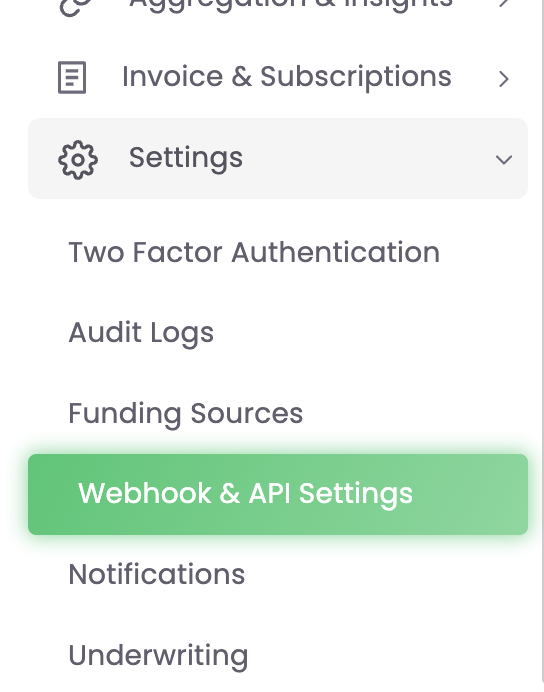
You can configure your webhook URL and which events you might want to receive in the Zūm Rails portal, under settings/webhook and api settings.
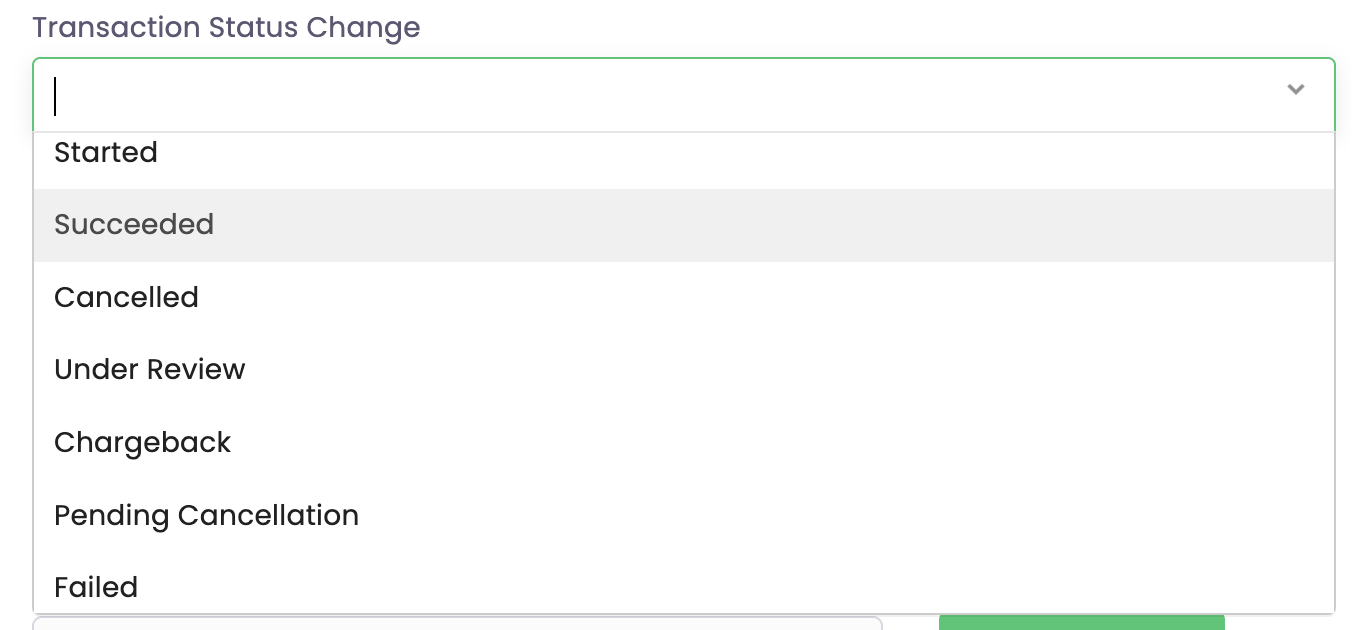
We recommend setting up the transaction status events, selecting all statuses.
When the transaction status changes, we will post to your webhook URL with the transaction GET payload, as [described here](https://docs.zumrails.com/api-reference/transactions#get-a-specific-transaction)
{% endstep %}
{% endstepper %}
---
# Agent Instructions
This documentation is published with GitBook. GitBook is the documentation platform designed so that both humans and AI agents can read, navigate, and reason over technical content effectively. Learn more at gitbook.com.
## Querying This Documentation
If you need additional information that is not directly available in this page, you can query the documentation by asking a question.
Perform an HTTP GET request on the following URL with the `ask` and `goal` query parameters:
```
GET https://docs.zumrails.com/recipes/visa-direct-+-3d-secure.md?ask=&goal=
```
`ask` is the immediate question: it should be specific, self-contained, and written in natural language.
`goal` is what the user is ultimately trying to achieve, the reason they need the answer. Sharing it helps GitBook give you a better, more relevant answer. A goal is most helpful when it describes the outcome the user wants rather than restating the question. For example, with `ask=how do I create an API token`, a goal like `automate deployments from our CI pipeline` lets GitBook tailor the answer to that use case.
The response will contain a direct answer to the question and relevant excerpts and sources from the documentation.
Use this mechanism when the answer is not explicitly present in the current page, you need clarification or additional context, or you want to retrieve related documentation sections.